Welcome to the first edition of the Alphaus Product Roundup! Each month, we'll bring together the latest updates across Alphaus products in one place, so you can see what's changed and what you can now do that you couldn't before. Here's what shipped in October.
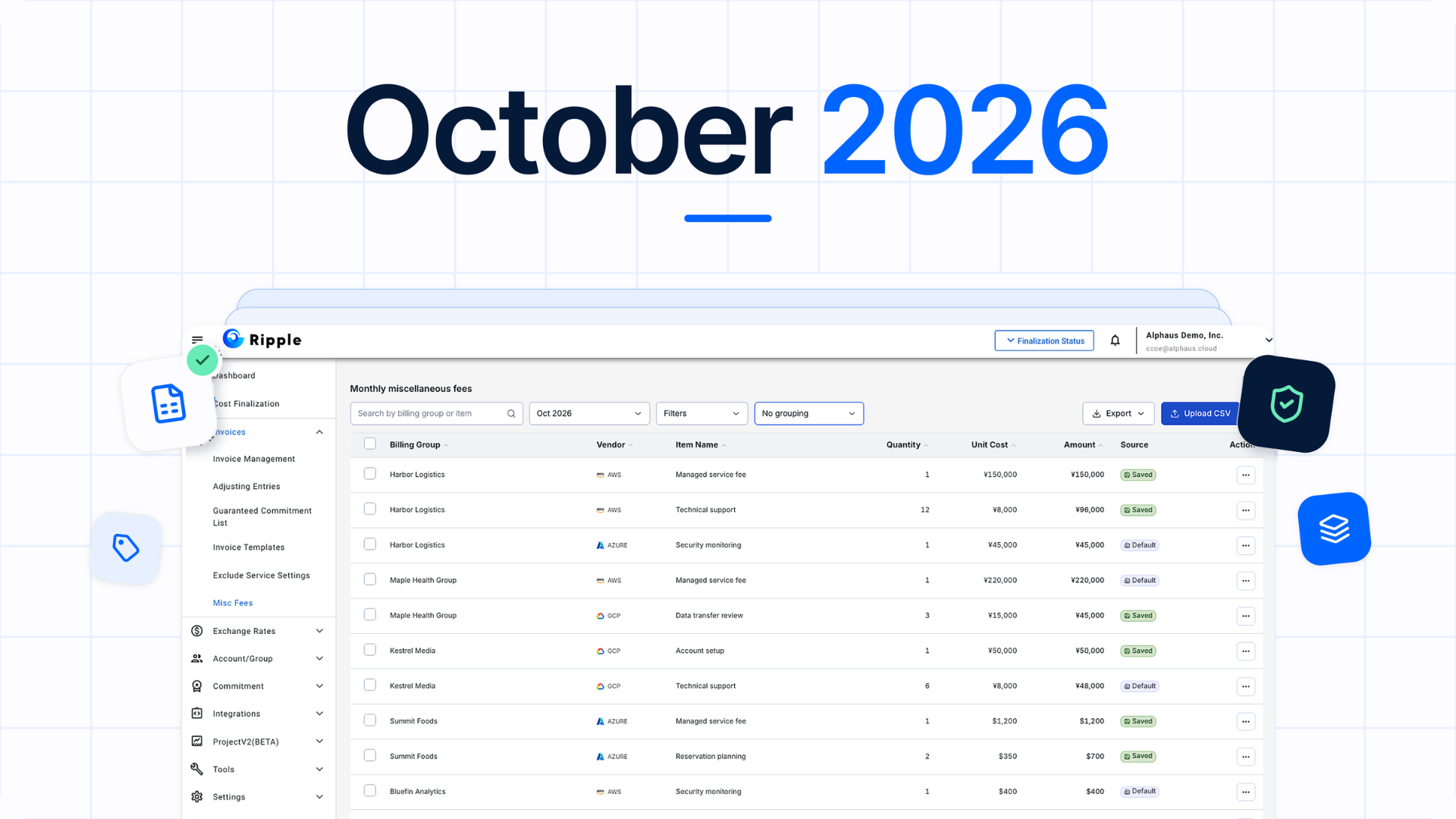
October's headline update is a new Misc Fees screen in Ripple, which registers fees for many Billing groups with one CSV. Guaranteed Commitments terms also move into the product: MSPs accept them in Ripple for their organization, and end customers accept them in WavePRO for their own account.
Highlights
Misc Fees in Ripple: Register and update miscellaneous fees for every Billing group and vendor with one CSV per month, and preview each change before you confirm.
Invoicing by layer in Ripple: Create invoices for an entire layer or selected child Billing groups, so you rerun only the part of your structure that changed.
Guaranteed Commitments terms in the product: MSPs review and accept the Terms of Service in Ripple for their whole organization, and end customers accept them in WavePRO for their own account. The terms are shown in English, whatever language the product is set to, and can be reopened at any time.
Ripple
October's Ripple release takes manual work out of month-end close, especially for MSPs managing multi-layer billing structures.
Manage miscellaneous fees for every Billing group in one place
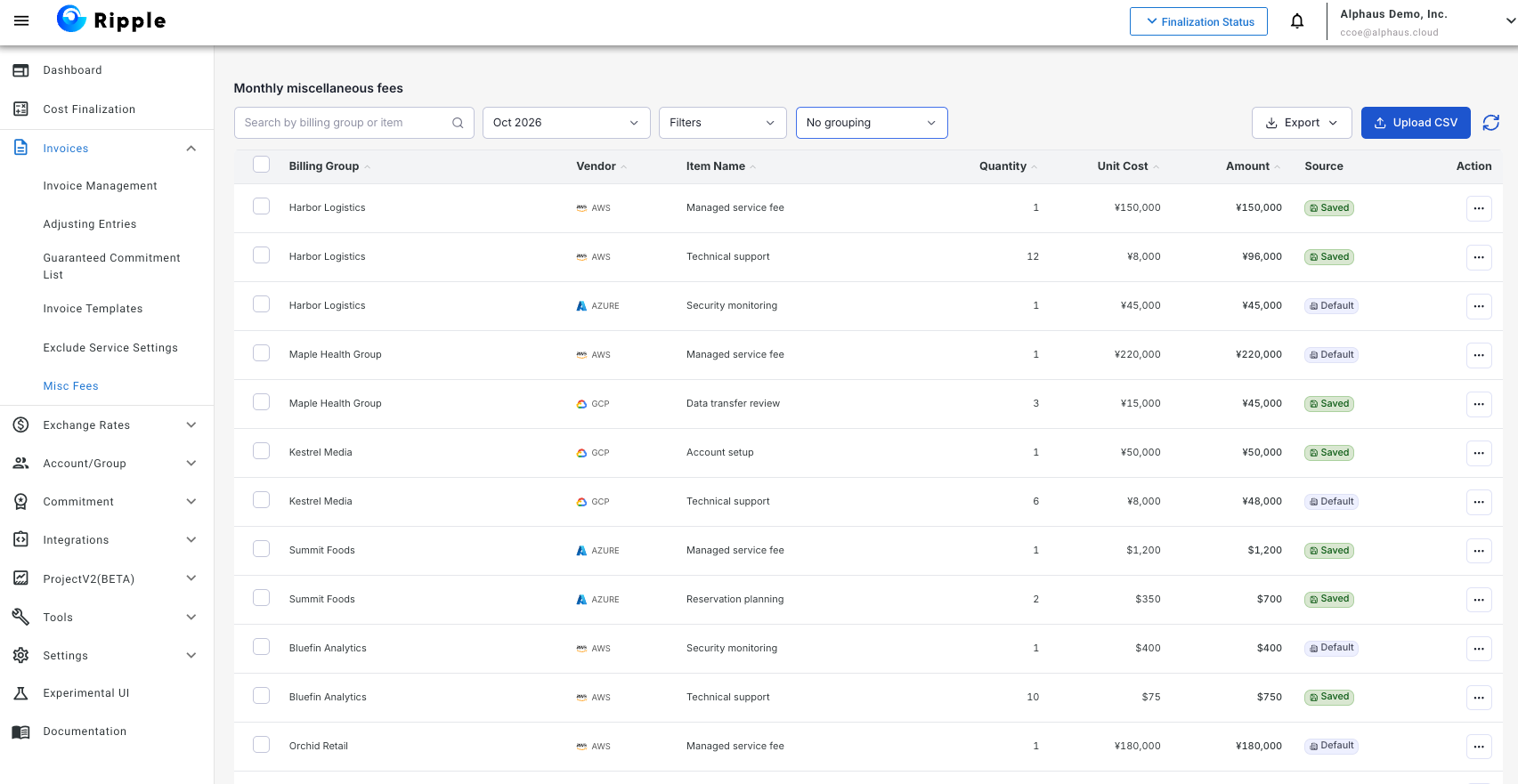
A new Misc Fees screen (Invoices > Misc Fees) lets you review and update miscellaneous fees across Billing groups and vendors for any billing month. Use Upload CSV to register fees for many Billing groups at once, and preview every addition, update, and deletion before you confirm.
Why it matters: Month-end fee entry no longer means editing Billing groups one at a time.
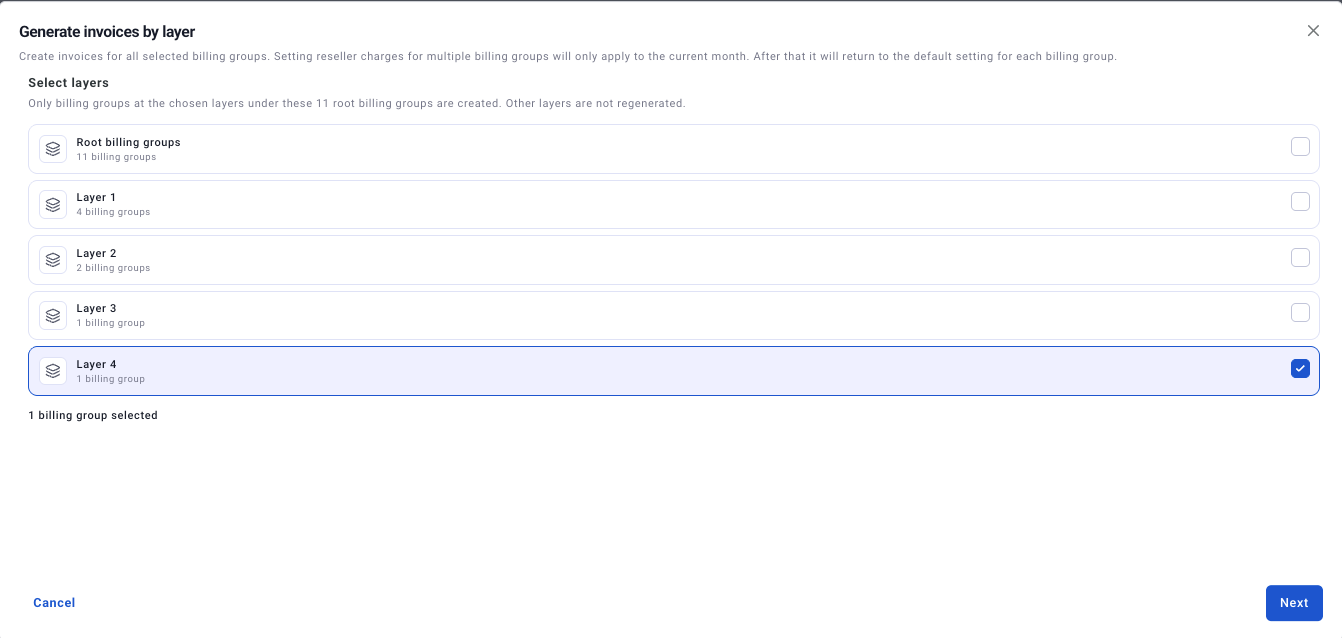
Create invoices by layer or by child Billing group
If you use parent and child Billing groups, you can now create invoices for an entire layer at once, pick specific child Billing groups, or choose between the parent only and everything beneath it. Open Invoice Management, then Bulk actions > Generate invoice > By layer.
Why it matters: Large Billing group structures no longer need a full invoice run when only one part changes.
Export Billing group settings by layer
Export Billing group details and invoice settings for the root or layers 1–4. Multiple layers land in a single CSV, with a Layer column so you can tell them apart. Exports without a layer selected work the same as before.
Why it matters: Auditing settings across a large Billing group structure takes one export instead of many.
Filter by Payer account when creating invoices
The new invoice creation screen now lets you narrow Billing groups by Payer account. Select multiple Payer accounts under More filters and search by Payer ID or vendor name.
Why it matters: The Payer account filtering you relied on in the previous UI is now available in the new one.
Review adjusting entries in a redesigned screen
The Adjusting Entries screen has a new layout built for faster month-end review. Filter by month, vendor, account, Billing group, and more, apply several items at once with bulk actions, set rules that apply recurring items automatically, and export what's on screen to CSV. Turn it on under Experimental UI in the left menu, then open Invoices > Adjusting Entries.
Why it matters: Month-end review takes fewer steps, and recurring items no longer need to be handled by hand.
See untagged costs broken down by service
On invoices for AWS tag-based Billing groups, non-tag costs now appear broken down by service instead of as a single total line, and untagged AWS Marketplace charges show as their own Marketplace line. Usage amounts and how non-tag costs are allocated to each Billing group stay the same. The new layout applies to invoices created or recreated after the October release.
Why it matters: Anyone reading the invoice can see which services make up untagged spend, so questions about non-tag charges are easier to answer.
Also improved
Tag-based Billing groups: The tag selection step now loads tag values and accounts in stages, shows newly added tag values, and searches across all accounts, so it stays responsive in large environments.
Guaranteed Commitments
Guaranteed Commitments terms now live inside the product. MSPs and their end customers each review and accept them in the tool they already use, before working with Guaranteed Commitments.
Review and accept Guaranteed Commitments terms in the product
Ripple and WavePRO now show the Guaranteed Commitments Terms of Service the first time Guaranteed Commitments screens are opened. The terms are always shown in English, even when the product is set to Japanese, so the agreement stays exactly as written. In Ripple, the MSP accepts once on behalf of its whole organization. In WavePRO, the end customer accepts once for every user and Billing group under their account. Both can reopen the current terms at any time from the document icon on Guaranteed Commitments screens.
Why it matters: MSPs and end customers each agree to the terms directly, in the product they already work in. Routine updates show a notice for 14 days without interrupting work, and acceptance is requested again only when an update requires it.
See it in action
Ready to put October’s updates to work? If you’re an MSP or reseller, talk to our team about Guaranteed Commitments. Buying cloud through a partner? Book a Guaranteed Commitments demo to see how it fits your setup.